How to install TWRP Recovery
Before you begin, make sure you have:
• Unlocked bootloader
• Platform Tools installed on your computer
• boot.img file from your current ROM or the ROM you plan
to flash
• Open the Platform Tools folder on your computer
• Open a terminal or CMD in the Platform Tools location
• Connect your device in Fastboot mode
• Type the following command:
fastboot flash boot
• Add a space, drag the OrangeFox file into the terminal, and press Enter
• Once complete, type:
fastboot reboot recovery
This will reboot your device into OrangeFox Recovery
• Copy the boot.img file from your ROM to the device's
internal storage
• In OrangeFox, go to Install and select install
imagen and install the boot.img file
• Make sure the Flash in both slots option is checked
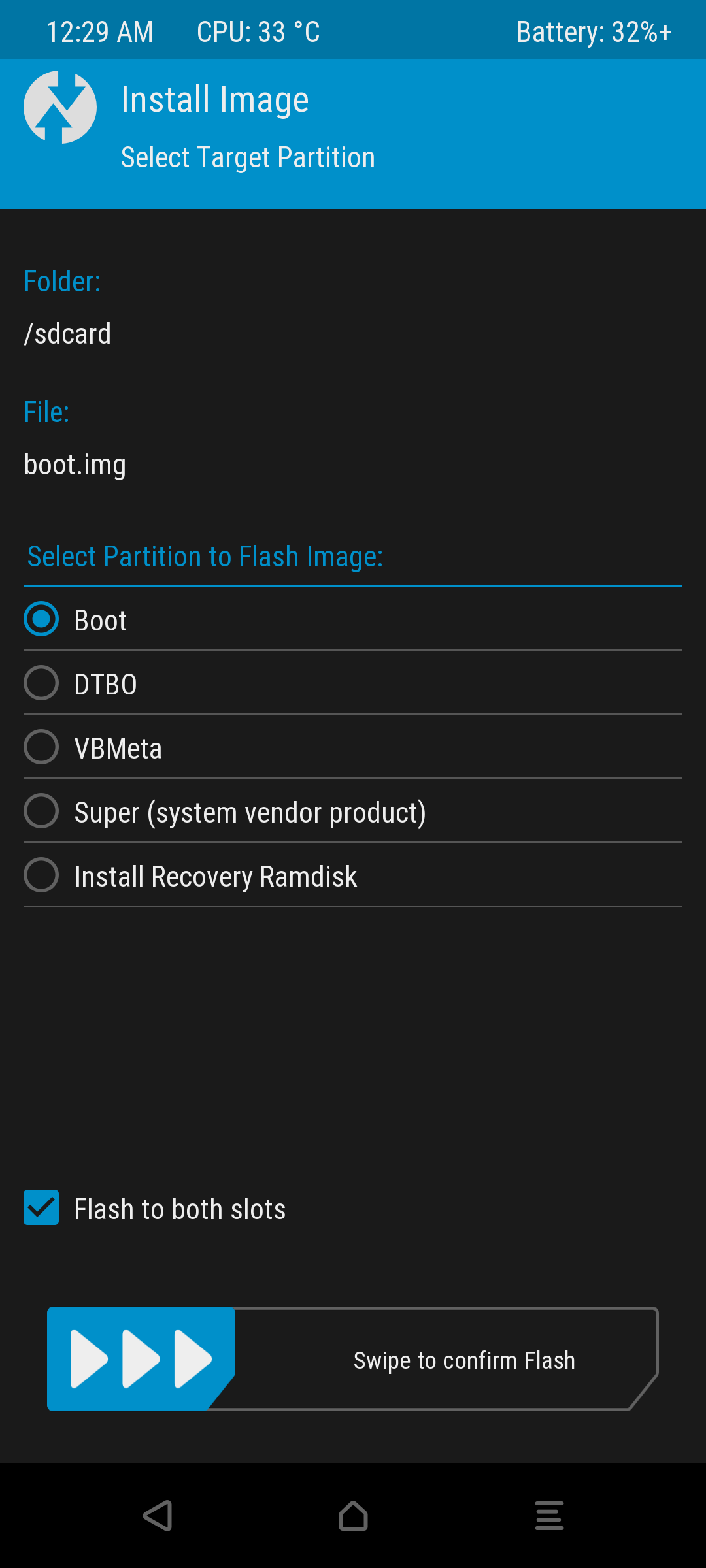
• Swipe to flash
• Go to the Advanced
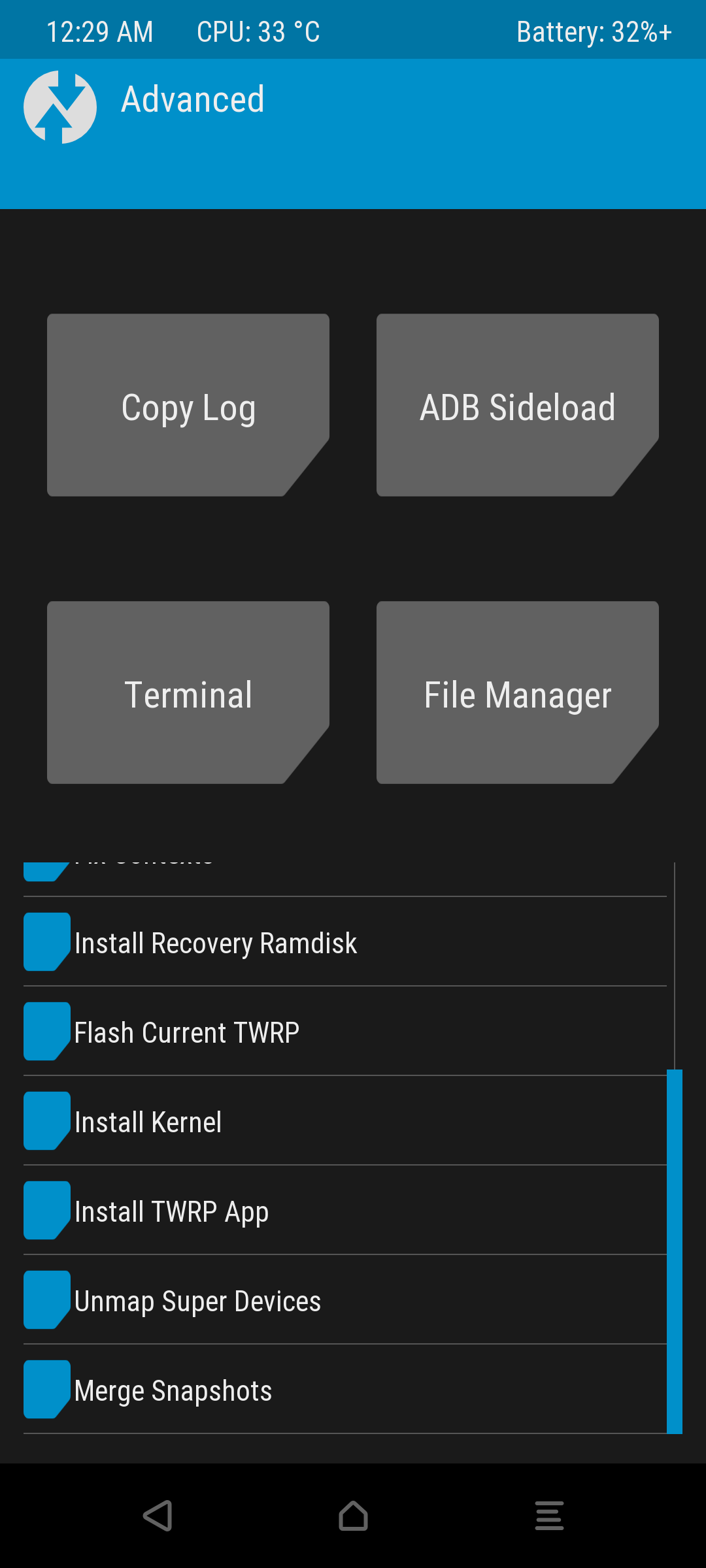
• Find the Flash Current TWRP option
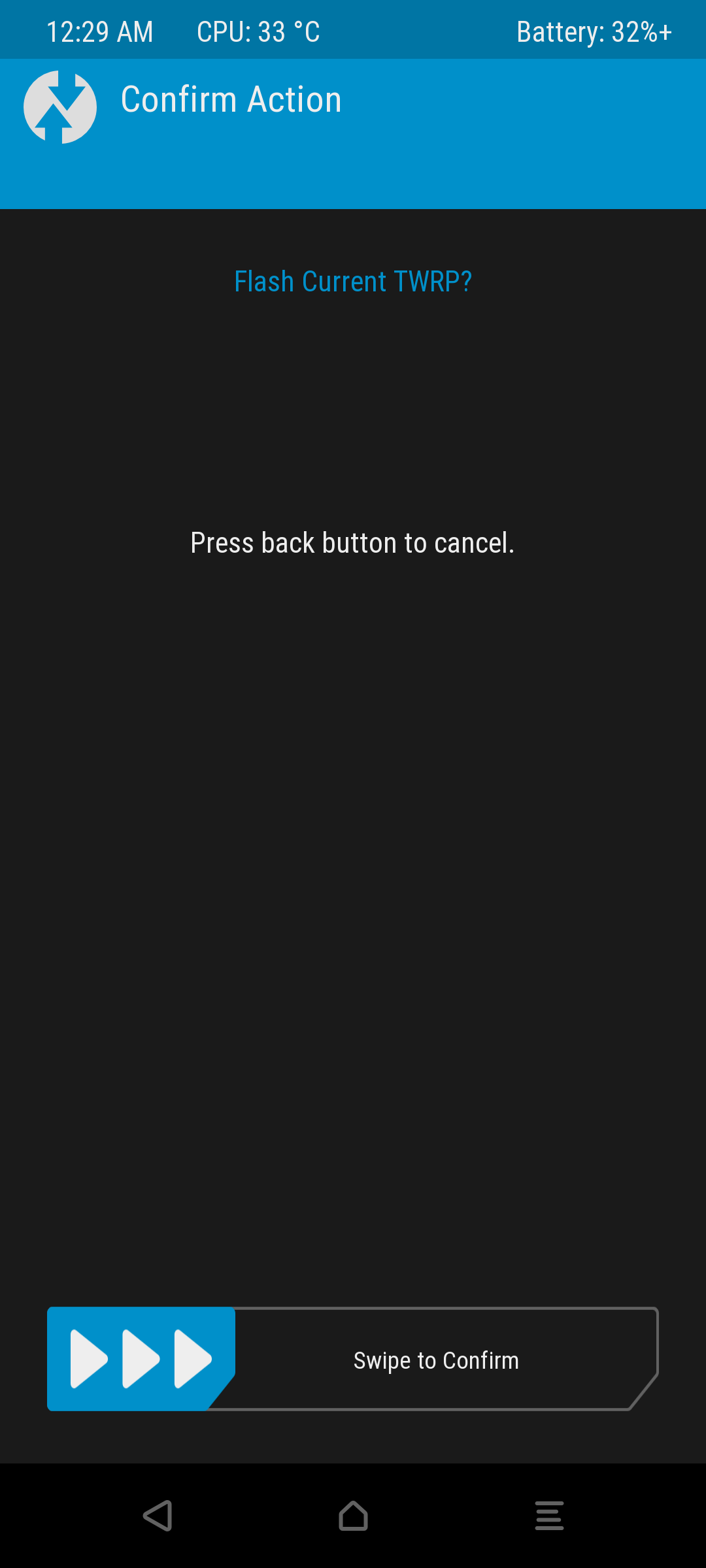
• Swipe to confirm the installation