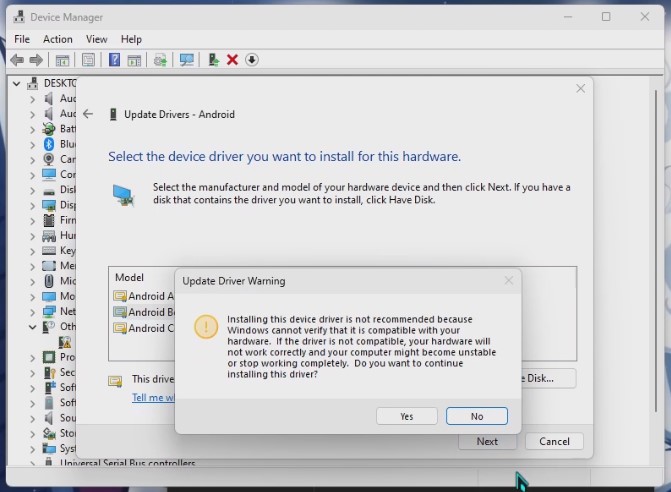
How to install ADB & FASTBOOT DRIVERS
Use 7zip or Winrar to unzip all downloaded files. This ensures that you can access the necessary files for the firmware installation process.
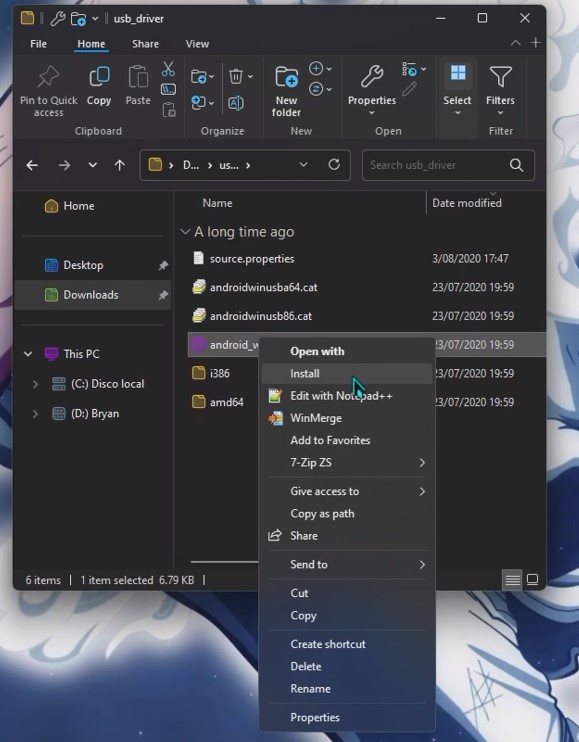
Right-click on android_winusb.inf and select "Install".
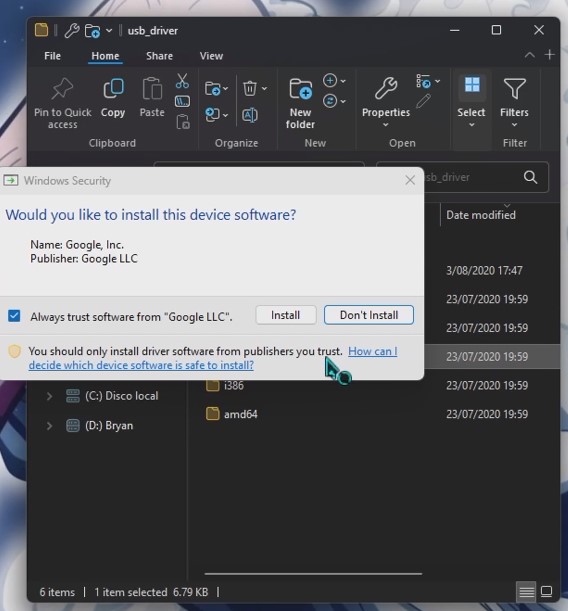
When you press "Install," a pop-up window will appear, where you will press "Install" again.
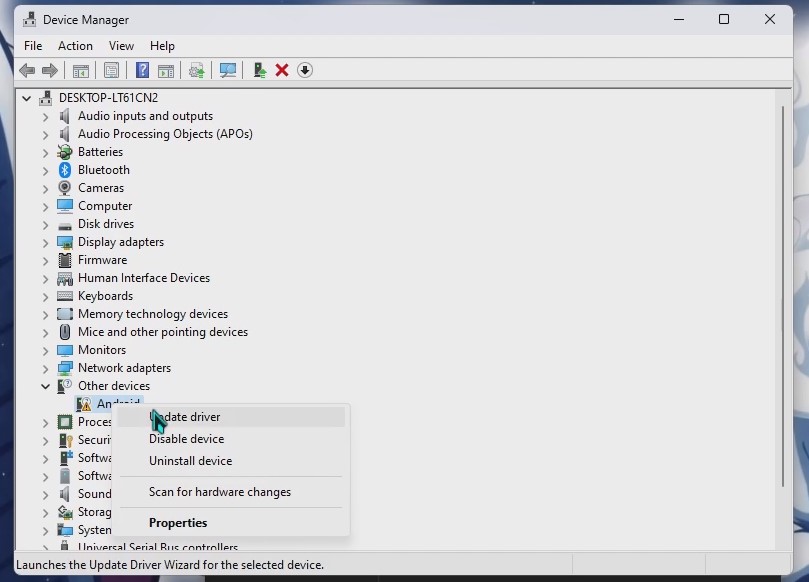
Open the Device Manager on your computer (you can search for it in the Start menu)
Locate the device labeled as "Android" in the list
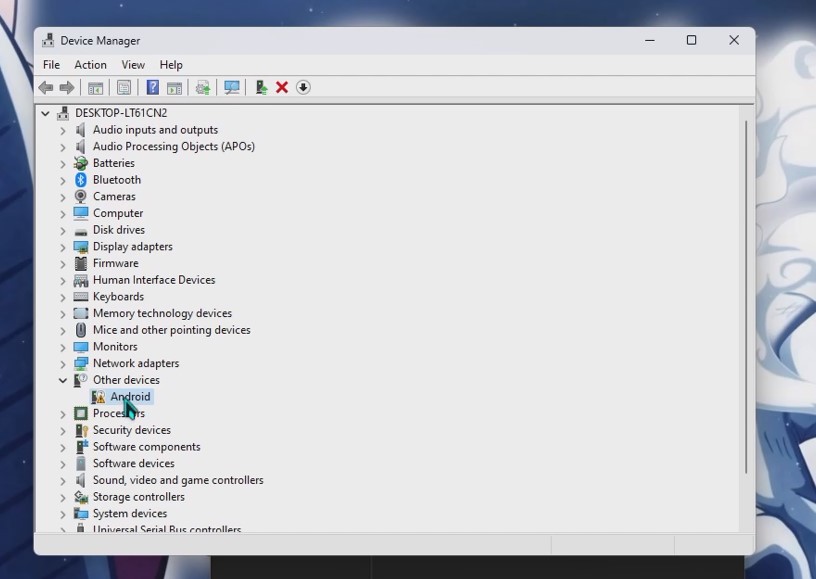
Right-click on it and choose "Update driver"
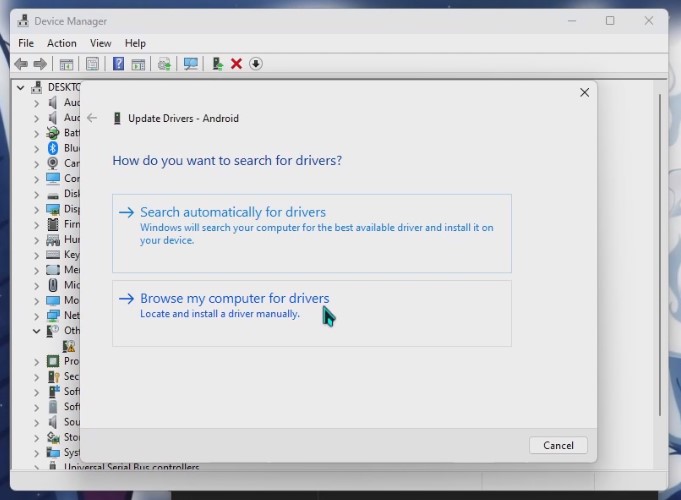
In the window that appears, select "Browse my computer for drivers"
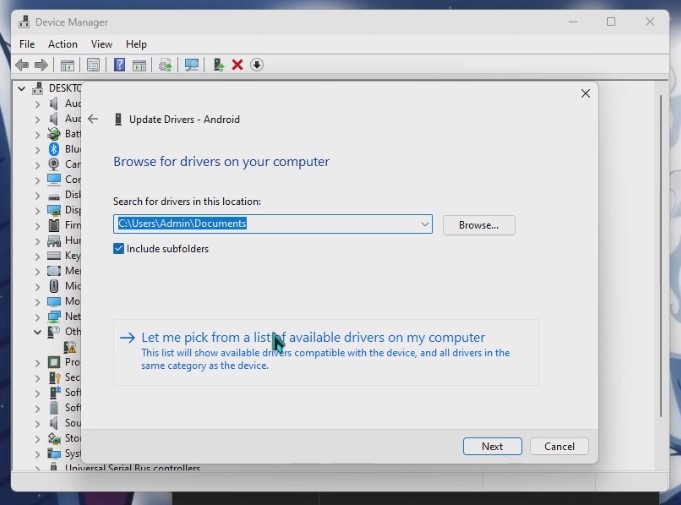
On the next screen, click "Let me pick from a list of available drivers on my computer"
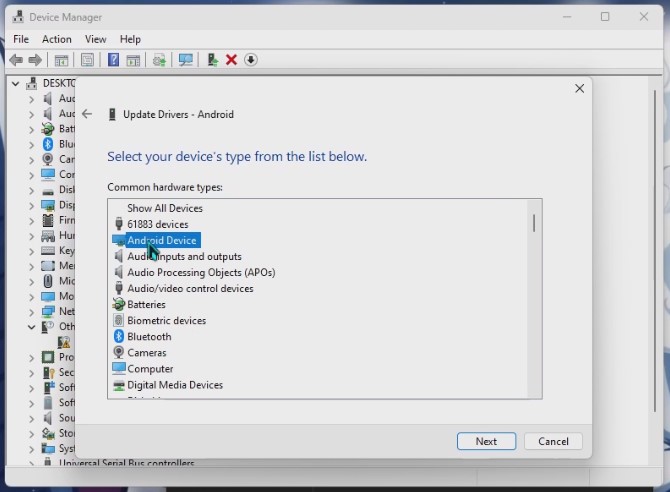
In the list, find “Android Device” and select it, click “Next” to continue
In the options, select “Android Bootloader Interface” and click “Next” to install the driver
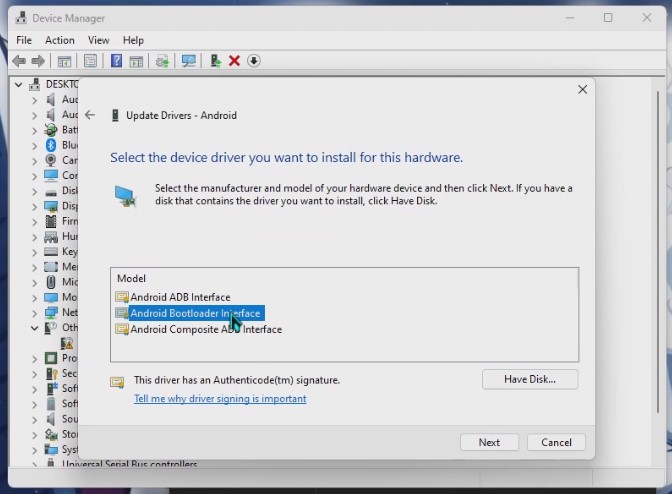
will ask you to confirm by clicking “Yes”